Overview
Tiny Threads is a mobile marketplace to simplify buying and selling pre-loved children's clothing, helping parents save money, reduce waste, and give outgrown clothes a second life. I designed this as part of my Google UX Design certificate.

Tiny Threads
Making secondhand children's clothing more accessible, affordable, and sustainable.
Role
UX/UI Designer
Responsibilities: User research, persona development, user journey mapping, wireframing, prototyping, usability testing, and visual design.
The Problem
-
Parents frequently struggled with the cost of purchasing new clothes as their children quickly outgrew them.
-
Parents found it difficult and time-consuming to find affordable, good-quality secondhand children's clothing on existing resale platforms.
-
Parents often had clothes in good condition that their children no longer wore but lacked a convenient way to resell them.
-
Parents wanted a more accessible and sustainable way to buy and sell children's clothing without the hassle of navigating general secondhand marketplaces.
Through conducting interviews with parents, several key pain points were identified:
The Solution
-
Make secondhand shopping easier: Provide parents with a convenient platform to find affordable, good-quality children's clothing based on their needs and preferences.
-
Simplify the resale process: Allow parents to easily list and sell clothes their children have outgrown, giving these items a second life.
-
Encourage sustainable shopping habits: Promote the reuse of children's clothing by making secondhand shopping a more accessible and appealing alternative to buying new.
Based on the pain points identified through user interviews, I established three key goals for Tiny Threads:
Understanding The User
The user interviews I conducted with parents allowed me to create user personas and journey maps that helped guide my design decisions for Tiny Threads.
User Personas


User Journey Map


Design Process
Based on user research and initial sketches, I identified four key user features to guide the design of Tiny Threads:
-
Browse clothing- find secondhand children's clothing using categories and filters.
-
Buy clothing- view product details and purchase items through a simple checkout process.
-
Sell clothing- easily list outgrown clothes with photos, descriptions, and prices.
-
Message sellers- communicate directly with sellers to ask questions before purchasing.
These insights helped me create some quick paper wireframes:

-
A home page for browsing
-
Messaging with buyers and sellers
-
Creating listings
-
Shopping cart
Which I turned into digital wireframes:


And allowed me to create a low-fidelity prototype:

Wireframes & Prototypes
These featured:

Usability Testing
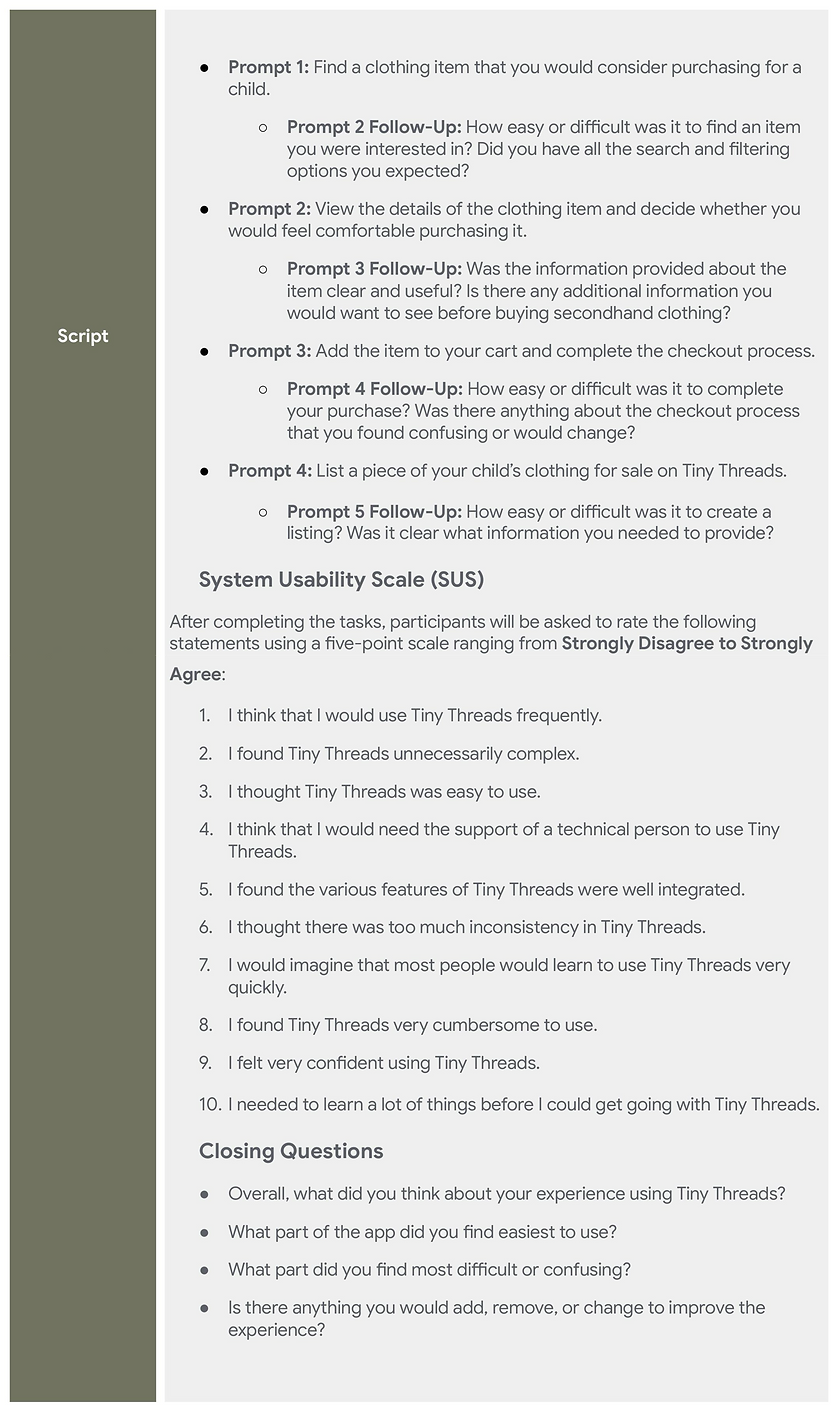
To evaluate the usability of Tiny Threads, I developed a research study plan designed for five participants completing realistic tasks, followed by a questionnaire to assess usability, identify pain points, and uncover opportunities for improvement.
And then conducted a usability study with five participants to evaluate how easily users could navigate Tiny Threads and complete two core tasks: purchasing an item and creating a clothing listing.

The results of which I condensed into a small affinity diagram

From which I identified key areas for improvement:
-
Cart Feedback: Users needed clearer confirmation when adding items to their cart.
-
Navigation: Some icons were confusing and difficult to identify.
-
Listing Options: Users needed clearer explanations of selling options and clothing conditions.
-
Form Guidance: Users wanted more instructions when creating listings.
After incorporating feedback from usability testing, I refined the designs into high-fidelity mockups.
Final Mockups

And then into an interactive high-fidelity prototype, allowing users to explore Tiny Threads and experience its key features, from browsing and purchasing clothing to creating listings:
Final High-Fidelity Prototype
Home
Final Thoughts
Designing Tiny Threads allowed me to strengthen my skills in user research, wireframing, prototyping, and usability testing. I gained hands-on experience using Figma, analyzing user feedback, and translating research insights into meaningful design improvements. This project also improved my problem-solving, critical thinking, and ability to approach design decisions from a user-centered perspective.
Refining the Design
Based on feedback from the usability study, I made several improvements to enhance the user experience:
1. Improved Navigation
I repositioned the cart and profile icons to make navigation more intuitive and help users locate important features more easily.
2. Clearer Cart Feedback
I added an "Added to cart" button state and a notification badge on the cart icon to provide immediate visual confirmation when an item is added.
3. Simplified Listing Form
I replaced the open-ended description field with structured fields to make it easier for sellers to provide relevant product information and introduced information icons beside listing types and clothing conditions to help users understand their options.


Categories


Items

Selected Item